
Over 3,000,000 downloads
The Tidjai app helps
"life move forward" smoothly
Time to change!
Let our app be the tool that helps your life move forward
the way you want Download now!


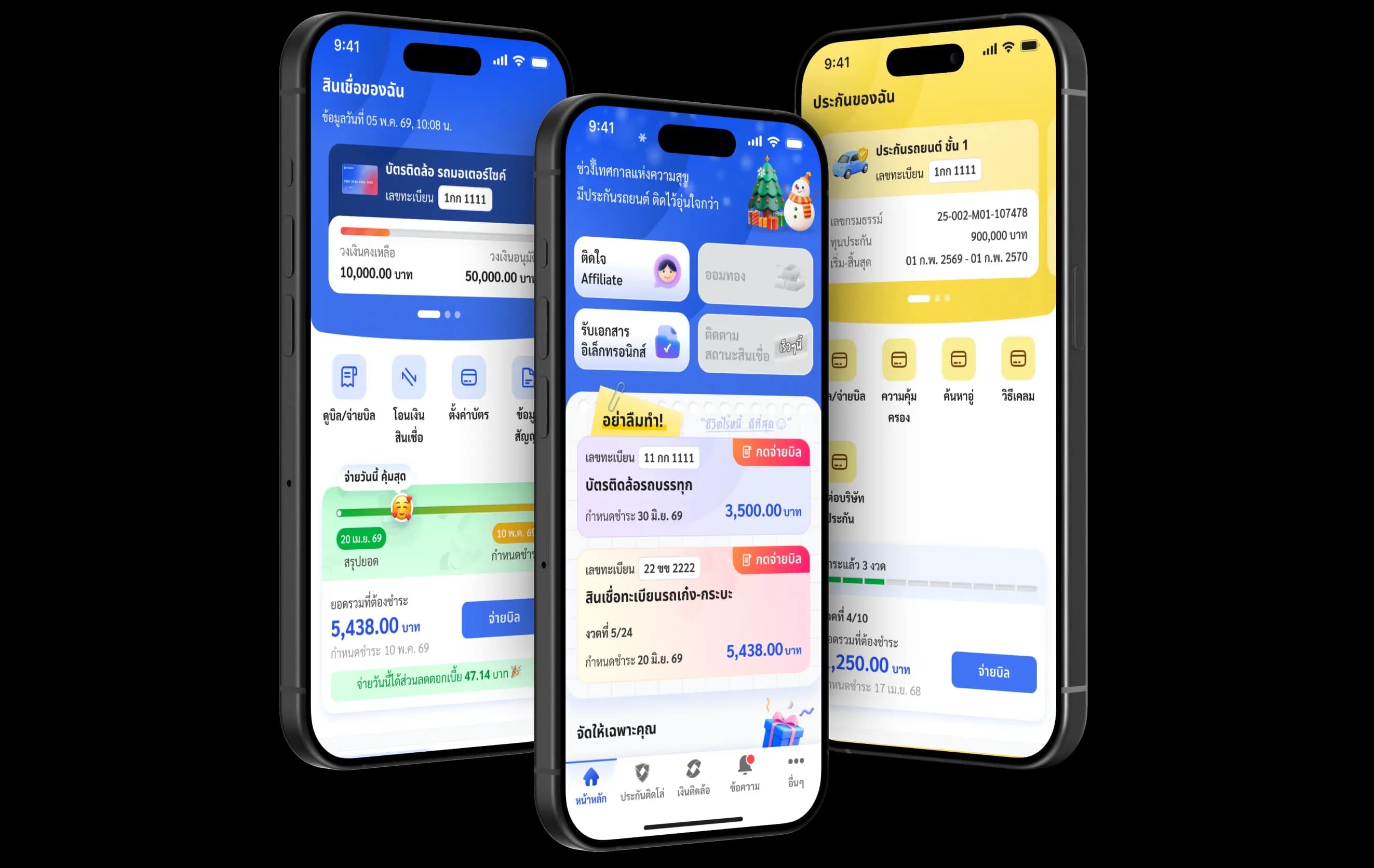



Manage Loan
Loan
Insurance
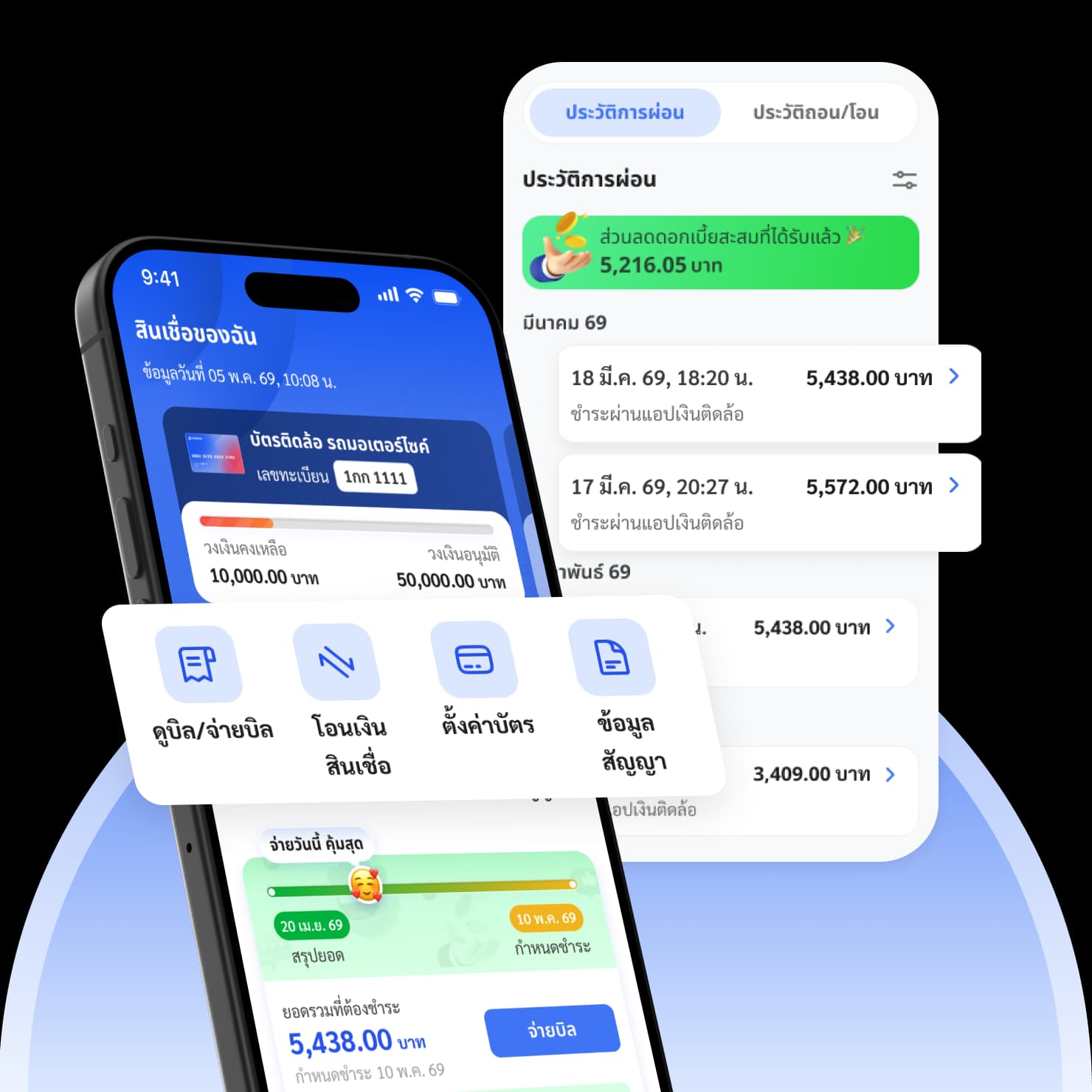
Manage your loans anytime, right at your fingertips
📲 Easy to sign up, manage it yourself, no waiting in line
View and pay bills anytime, check your payment history, transfer loan funds, and manage your Tidlor Card—all easily in one app.
Never miss anything important
🔔 Complete information, transparent fees, and instant notifications
Check the actions you need to take, receive personalized privileges (such as additional loan offers or reward coupons), view recommended products, and track status updates for your transactions.
New! Be the first to get updates
🆕 The latest services to make your life even more convenient
Stay up to date with the latest financial services, including payment calculations, loan status checks, friend referrals and rewards, e-documents, and daily updated content.
Hey! There are some cool features
you might not know about
See the app usage guide🔒 Lock and temporarily unlock card
💳 Activate card and set password
🆕 How to register for the first time
🔑 Forgot or change withdrawal PIN
💸 How to transfer loan money
🧾 View bills / pay bills
❎ Disable special access
👆 Enable login with fingerprint
ℹ️ How to log in on a new device
🆙 How to update the app version
⚠️ Be aware of Jailbreak or Root risks
ℹ️ How to claim increased credit

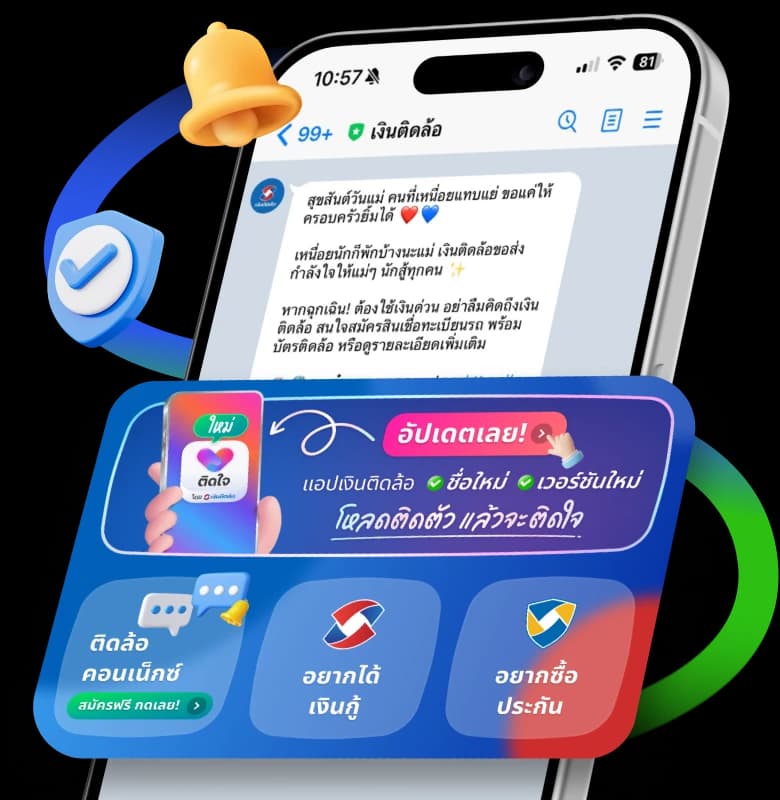
TIDLOR Connect
Peace of mind with every connection
Safe, click link sure
Ask anytime, no queue
Free notifications
Frequently Asked Questions
How to register for Tidjai app for the first time
1. Press the 'Register' button
2. Enter your ID card number and your phone number, then press 'Next'
3. Fill in additional information completely, then press 'Confirm'
4. Read the terms and conditions of using the Tidjai app before pressing 'Accept'
5. Enter the OTP code sent to your phone via SMS
6. Set a 6-digit PIN code to access the app
📝 Summary of required information: ID card, phone number, contract number with Ngerntidlor
❌ Still not working? 📞 Call now: 088-088-0880 press 0 then press 4
2. Enter your ID card number and your phone number, then press 'Next'
3. Fill in additional information completely, then press 'Confirm'
4. Read the terms and conditions of using the Tidjai app before pressing 'Accept'
5. Enter the OTP code sent to your phone via SMS
6. Set a 6-digit PIN code to access the app
📝 Summary of required information: ID card, phone number, contract number with Ngerntidlor
❌ Still not working? 📞 Call now: 088-088-0880 press 0 then press 4
Forgot Tidjai app password (PIN), what should I do?
1. Open the Tidjai app and press "Forgot PIN" from the password entry screen
2. Enter your ID card number and phone number used for registration
3. Wait for the OTP code via SMS, approximately 1-2 minutes
4. Set a new password by creating a 6-digit PIN and confirm again
5. Access the Tidjai app with your new password
⚠️ Note: PIN must be 6 digits, no repeated numbers, max 2 consecutive digits, no sequential numbers like 111111, 111234, 123456
❌ Still not working? 📞 Call now: 088-088-0880 press 0 then press 4, or try again in 5-10 minutes
2. Enter your ID card number and phone number used for registration
3. Wait for the OTP code via SMS, approximately 1-2 minutes
4. Set a new password by creating a 6-digit PIN and confirm again
5. Access the Tidjai app with your new password
⚠️ Note: PIN must be 6 digits, no repeated numbers, max 2 consecutive digits, no sequential numbers like 111111, 111234, 123456
❌ Still not working? 📞 Call now: 088-088-0880 press 0 then press 4, or try again in 5-10 minutes
Changed phone number and can't access Tidjai app, what should I do?
If you changed your phone number and cannot log in, please follow these steps:
- Prepare documents - ID card and vehicle registration documents
- Contact Call Center - Call 088-088-0880 press 0 then press 4 to report the number change
- Wait for confirmation - The system will update the new number within 24 hours
- Try accessing the app again after receiving SMS notification that it's complete
Can't register for Tidjai app, says phone number is duplicate, what should I do?
Case 1: Already registered before
📝 Prepare information: name-surname, contract number, problematic phone number
- Press "Login"
- Enter ID card number + phone number
- Receive OTP code via SMS then enter PIN
- Contact staff to delete old number data first
- Call 088-088-0880 press 0 then press 4 to report the issue
- Wait 1-3 business days for resolution
- Get results after completion, staff will call you back
📝 Prepare information: name-surname, contract number, problematic phone number
Can't access Tidjai app, message says 'Special access disabled', how to fix?
This is caused by phone settings blocking the Tidjai app. Can be fixed as follows.
For the following popular brands: Samsung, Realme, Xiaomi/Redmi, Vivo, Oppo
❌ Still not working? 📞 Call now: 088-088-0880 press 0 then press 4
for step-by-step guidance from staff
For the following popular brands: Samsung, Realme, Xiaomi/Redmi, Vivo, Oppo
- Go to phone "Settings"
- Find "Accessibility" or "Accessibility"
- Find "Tidjai" in the app list
- Turn off special access
❌ Still not working? 📞 Call now: 088-088-0880 press 0 then press 4
for step-by-step guidance from staff